





EasyBCD is a tool designed to help you customize and enhance the boot process of your PC. The program will allow you to boot virtually any operating system, both modern and old, and will allow you to boot from USB devices, disk images, virtual disks, and much more.
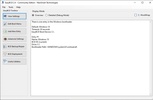
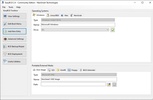
The first thing you notice when you start EasyBCD is how simple and accessible its interface is. In the menu on the left you can find all the program's features, perfectly ordered: View your configuration, Edit the start menu, Add a new entry, Advanced configuration, Copy or fix BCD, and Deploy BCD. In the first of these tabs, View your configuration, you will be able to see a summary of your BCD (Boot Configuration Data).
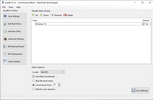
From the second tab, Edit boot menu, you start to find the really interesting features. From here you can easily change the order of the operating systems you have ready to boot. You will also be able to choose the desired default system, and the language in which you want it to start. You can even change the timeout time (30 seconds by default) or skip the boot menu itself. This option, of course, is particularly useful for users who have two operating systems installed on the same computer, as it will give them much more versatility when booting them.
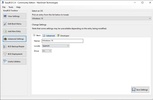
The Add Input tab will give you the option to create a new boot method, in a few seconds. The only thing you will have to do is to choose the operating system for which you want to create the new entry, choosing between Windows, Linux, Mac or NeoGrub. After this, you will have to choose the media on which it will boot: disk image, ISO, WinPE, floppy disk, or BIOS extension. Once you have everything ready, you just need to click on the green button to add the new entry to the list. It is important to note that, by default, this new entry will appear at the bottom of your boot list.
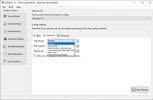
From the Advanced Settings tab you can enable or disable some additional boot options for each operating system. In the case of Windows, for example, you can enable Hyper-V support or debugging mode. You can also set a limit on the number of cores you want Windows to use. As the name indicates, these are advanced options, which you should only change if you know exactly what you are doing. Otherwise, although it is very difficult to cause irreversible damage to the installation of the operating system, you can reduce the performance of your PC.
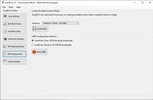
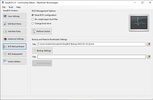
One of the most useful tools in EasyBCD is undoubtedly BCD Deployment, which will allow you to create a bootable external media in a matter of seconds. All you have to do is choose the partition you want to work on and click on the Install BCD button. That's it. It's that easy. You can also configure the main boot record (MBR) options, although it is usually better to leave the default ones.
EasyBCD is one of the most powerful and useful multiboot tools on the market. Thanks to this tool you will be able to customize the boot options of your computer in a simple, fast and efficient way. No matter which version of Windows, MacOS or Linux you have installed, chances are that you can manage them all without any problems.
Frequent questions
Which operating systems work with EasyBCD?
The list of operating systems that work with EasyBCD is as follows: MS-DOS, Windows 95-ME, Windows 2000, Windows XP, Windows Server 2003, Windows Vista, Windows Server 2008, Windows 7, Windows 8, Windows Server 2012, Windows 10, and Windows 11.
Is EasyBCD free?
Yes, EasyBCD is free. The non-commercial version of the program has some limited features and is restricted to personal use. In addition, it receives delayed access to the latest program features.
What does the commercial version of EasyBCD offer?
The EasyBCD commercial version offers more features than the non-commercial version, such as working with Enterprise and Professional versions of Windows. It also offers automatic updates and priority technical support.
Is EasyBCD compatible with Windows 11?
Yes, EasyBCD is compatible with both Windows 11 and UEFI. The program will allow you to work with almost any operating system, including the latest Windows updates.


 8 reviews






Comments
Good
Super! This program helped me - the laptop didn't see the new SSD disk during boot and loaded the old system from the old disk, but EasyBCD helped fix it. SUPER!
Does it work with 64-bit Windows??????